Directions for Battery Maintenance
We have collected our know-hows for optimal
DTR Automotive battery maintenance.
How to Check Your Batteries
Checking Battery Status
Check the product status indicator frequently. Proceed with appropriate maintenance accordingly.
-
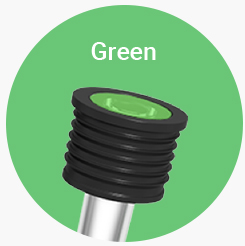
Normal
The product is in a normal state. You may continue with the use.
-
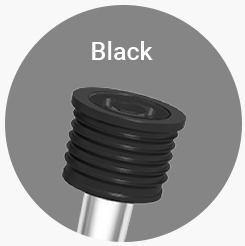
Need Charging
If the product still does not indicate “normal”
after shaking, the battery requires charging.
-
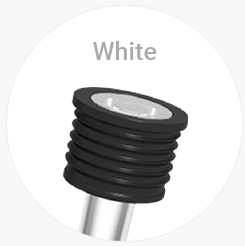
Need Replacement
This is when the battery lifespan is over or when
when the electrolyte (sulfuric acid) is evaporated due to overcharging. Change your battery
after checking your car.
* If your car does not start despite the product status lighting green (normal), consult a store or help center for a checkup
Checking Cleanliness
-
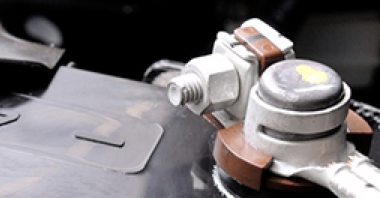
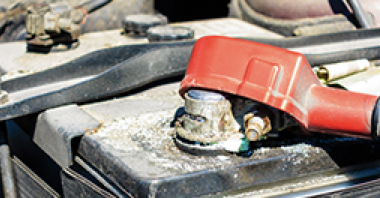
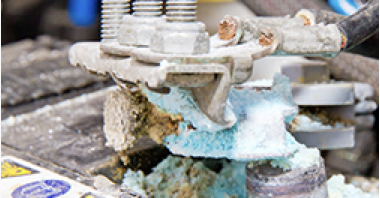
Check whether there is corrosion (rust) on the terminals. If there is any corrosion, remove the rust with a steel brush or other such tool, and apply an anticorrosive coat.
-
Check whether there is excessive dust, impurities, or leakage on top of the battery cover. When removing, make sure to use a damp cloth.
-
Check for corrosion on the battery board. If there is any corrosion, remove the battery according to “How to replace your battery”. Remove the corrosion on the board and install the battery.
* If the corrosion on the battery board is severe, there is a possibility of battery damage or electrolyte (sulfuric acid) leakage due to electrical system abnormality. Check for issues in the battery and the car’s electrical system.